
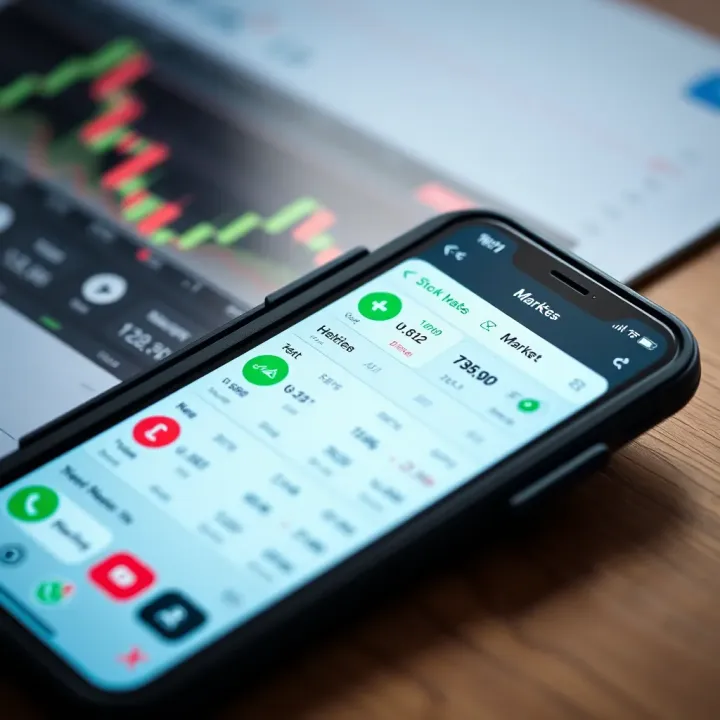
Choosing the Best Stock Trading App in Pakistan
📱 Discover how to pick the best stock trading app for Pakistan 🇵🇰 with tips on features, security, fees, usability, and local compliance for smart investing.
Edited By
Charlotte Evans
Choosing the right trading app in Pakistan isn’t just about grabbing the first one that pops up on your phone. With so many options, picking an app that suits your trading style and offers secure features is key. Whether you’re diving into stocks, commodities, or forex, the right app can make all the difference.
In this guide, we’ll walk through the essential points you need to know before downloading a trading app. We’ll cover what features truly matter, how to download apps safely to avoid scams or malware, and ways to keep your investments and data secure.

Think of this article as your roadmap to navigating Pakistan’s trading app scene — helping you avoid common pitfalls and save time, so you can focus on growing your portfolio with confidence.
Remember, a good trading app is not just about fancy charts or fast orders; it’s also about trust, reliability, and ease of use tailored to your needs in the local and international markets.
When it comes to diving into the world of trading in Pakistan, knowing exactly what a trading app brings to the table is essential. These apps are your gateway to buying and selling assets, tracking your investments, and accessing up-to-the-minute market info—all from your mobile device. For a trader or investor, this understanding ensures you pick an app that fits your style and goals instead of stumbling around blindly.
Trading apps aren’t just simple tools; they pack a real punch by giving you control over your trades and portfolio even when you're on the go. Imagine trying to catch a falling knife in the stock market without real-time data—chances are, you'll get hurt. That's why knowing these apps’ core functions and what types exist will help you decide which app matches your needs best.
At the heart of any trading app is the ability to buy and sell stocks. This is where the actual action happens—snapping up shares of companies listed on the Pakistan Stock Exchange or other markets. A good app will make this process smooth and quick, with minimal lag and clear confirmation of your transactions. For example, apps like PSX's own platform or commercial brokers like IGI Securities offer straightforward buy/sell options. The key here is ensuring the app reflects real-time prices and doesn’t delay your orders, so you don't get stuck with a price much different than expected.
Time is money on the trading floor. Having access to real-time market data means you see stock prices, indices, and news as they unfold, not minutes later. This feature lets you react to market swings, news events, or earnings reports right when they happen. Apps like KTrade and Al Meezan provide timely price updates with minimal delay. Without this, you're flying blind, and that could cost you dearly.
Tracking your portfolio within the app helps you keep tabs on what’s working and what’s not. It’s like having a dashboard where you see your investments' performance at a glance—gains, losses, dividends collected, and asset allocation. This function also helps in rebalancing your portfolio and spotting trends early. For instance, if your holdings in a particular stock or sector start dragging your portfolio down, you’ll want to know ASAP.
Brokerage apps connect you directly to the markets through registered brokers. These are often the most common choice for retail investors in Pakistan. Examples include apps from firms like Arif Habib or MCB-Arif Habib where you get a full range of services including stock trading, account management, and detailed reports. These apps are generally reliable and regulated by SECP (Securities and Exchange Commission of Pakistan).
Robo-advisors take a bit of the manual work out of trading. They use algorithms to manage your portfolio based on your risk appetite and investment goals. In Pakistan, while still growing, services like Sarmayacar offer robo-advisory options. These apps appeal to beginners or those who want hands-off investing but still want to tap into the stock market without constant monitoring.
Cryptocurrency trading is picking up quickly even in Pakistan. Apps like Binance and LocalBitcoins enable traders to buy and sell cryptocurrencies like Bitcoin, Ethereum, and others. These platforms usually offer quick transactions and wallet storage. However, users must be wary of volatility and ensure the app complies with local regulations to avoid any legal headaches.
Understanding what each type and function offers helps you pick the right tool for your trading strategy, whether you’re an active trader or a casual investor. It’s about matching your personal needs to the app’s strengths—not just picking the flashiest one on the block.
Choosing the right trading app isn't just about picking one with the flashiest ads or the highest number of downloads. In Pakistan's fast-growing investment scene, the features packed into these apps can literally make or break your trading experience. From the ease of navigating the platform to the security measures that keep your hard-earned money safe, each feature has a role to play.
Consider this: even if an app promises the biggest market data pool, if it’s clunky or confusing, chances are you’ll miss timely trades. By zeroing in on the key features discussed below, you can make a smarter choice tailored to your trading needs.
A trading app with a simple design isn’t just nice to look at; it speeds up your workflow and reduces mistakes. Imagine you want to quickly buy shares of a Pakistani tech startup listed on the Pakistan Stock Exchange — a complex interface may slow you down or cause errors. Apps like Utrade by UBL Morgan Stanley get this right by keeping menus straightforward, stripping out clutter, and prioritizing the most-used functions.
A clean layout also matters a lot for traders new to digital investing. If you don’t have to sift endlessly through endless buttons and tabs, it lowers the learning curve and lets you focus on what really matters: making informed decisions.
Trading isn’t one-size-fits-all. Some folks like to see live price ticks right away; others want detailed charts and news feeds at their fingertips. This is where customizable dashboards come in handy.
A good app lets you choose what stats and tools appear first. For example, you might want to set your home screen to display your portfolio's performance plus the latest updates from the Karachi stock market. This creates a setup that’s uniquely yours, making the app feel less like a generic tool and more like a personal trading assistant.
With growing cyber threats across Pakistan and globally, two-factor authentication (2FA) is a must. It adds an extra lock beyond just your password—often a code sent to your phone or generated by an app.
This feature drastically reduces the chances of unauthorized access, which is great since financial details and trades are highly sensitive. Apps like PSX-approved brokers offer 2FA, helping you trade with more peace of mind, knowing your accounts aren’t easy prey for hackers.
When you place a trade or enter your personal info, it’s crucial that the data travels safely. Data encryption scrambles the information so no one can intercept and misuse it.
Look for trading apps that mention using high-level encryption standards, often the same ones banks use. This bulletproof layer keeps your bank details, IDs, and trades locked down against cyber snooping, a vital feature especially if you’re connecting via public or home networks often used in Pakistan.
If you’re serious about trading, raw numbers and basic quotes only scratch the surface. Charts and technical analysis tools help you spot trends, price patterns, and signals to decide when to buy or sell.
For instance, apps like PSX’s official mobile app and international platforms like MetaTrader provide candlestick charts, moving averages, and RSI indicators that traders swear by. These tools turn complex data into visual information, which simplifies making educated moves in markets that can change minute by minute.
Financial markets thrive on information — a better headline or sudden policy change can send prices soaring or crashing. That’s why leading trading apps in Pakistan offer real-time news and market updates.
Integrated feeds from agencies like Reuters or Bloomberg Pakistan keep you alert to political, economic, and corporate developments that affect your investments. Staying updated within the app saves you time hunting for news elsewhere, so you can react quickly and smartly.
Remember, selecting a trading app with these features not only supports smarter investing but shields you from unnecessary risks common in today’s digital trading world.
By focusing on easy-to-use interfaces, solid security, and smart trading tools, you can find a trading app that feels more like a helpful partner than a complicated gadget.
Downloading the right trading app safely is just as important as choosing the right one. Anyone venturing into the world of online trading in Pakistan should avoid taking chances with dubious apps that could jeopardize their financial data. Knowing the safest spots to download trading apps reduces the risk of falling prey to scams or security breaches.
Among the first pitfalls to dodge is downloading from unofficial sources. These are often riddled with fake apps or versions infected with malware that aim to steal your login credentials. Sticking to trustworthy platforms — where app legitimacy is routinely verified — is the safest bet.
For Android users in Pakistan, the Google Play Store remains the most straightforward and secure place to get trading apps. Google thoroughly vets apps before listing them, which provides a layer of security by filtering out potentially harmful or fake offerings. When searching for apps like the "Al Meezan Securities" or "PSX Investor Services App," always check they are listed on Google Play to avoid bogus copies pretending to offer the same services.
The Play Store also displays user ratings and reviews, which are great tools to gauge the app’s reliability and functionality before downloading.

iPhone users have similar benefits with the Apple App Store. Apple’s strict approval process makes it harder for fraudulent apps to slip through. If you’re eyeing apps such as "MTrade" or "InvestPad," make sure they appear on the App Store before proceeding. This is especially important given how sensitive financial data can be—the less risk of malware, the better.
Beyond security, Apple's App Store offers easy update management and permissions control, which helps maintain app security post-download.
Some brokerage firms in Pakistan provide direct download links for their mobile trading apps from their official websites. For instance, companies like JS Global Capital or AKD Securities often maintain portals where you can download their official apps securely. This method minimizes middlemen and ensures you’re grabbing the latest and genuine software version.
However, before downloading from a website, always double-check that the URL is authentic and the website is secured (look for HTTPS and official branding).
User feedback shines a light on app performance and potential issues. Before installing any trading app, browse through recent reviews to catch any red flags. Negative reviews mentioning login failures, withdrawal delays, or suspicious charges can mean trouble.
Pay attention to how the developer responds—active and transparent support is a good sign of a legitimate app.
Confirming who created the app keeps fraudsters at bay. Trusted trading apps are built by well-known brokers or reputable financial institutions. For example, an app developed by a recognized brokerage like IGI Securities or HBL Investment offers more reliability than a nameless developer.
Look for official company names under the app developer info and cross-check their presence through known financial regulatory bodies like SECP. This step can save you a lot of headaches down the road.
Always remember, the safest downloads come from official platforms combined with diligent user research. When trading, your app’s security is the first line of defense for your money and privacy.
Downloading and installing a trading app is a critical step that sets the foundation for a smooth investing experience. Knowing exactly how to get a trading app onto your device safely and efficiently can save you from potential headaches such as malware, faulty versions, or permissions issues that might compromise your security or app functionality.
When you choose a trading app, the way you install it matters just as much as the app's features. Giving your device the green light to install trusted apps only and managing device permissions smartly helps keep your personal data and financial information protected. Below, we'll break down the clear steps for both Android and iOS users in Pakistan to make the process as seamless as possible.
For Android users, the Google Play Store is the main hub where all the top trading apps reside. To find your desired trading app, open the Play Store and use the search bar effectively by typing exact app names like "InvestMate by HBL" or "Al Meezan Investment." Once you find the app, always check the developer details, user ratings, and reviews to ensure authenticity. For instance, apps published directly by Malik Securities or the Pakistan Stock Exchange usually come with a verified badge. This reduces the chance of downloading scam apps pretending to be official platforms.
After clicking install, the app may request permissions—for example, access to your storage for saving reports or access to GPS for location-based services. It's essential to read these requests carefully. While some permissions are necessary for the app to function correctly, granting too many could expose sensitive info. If a trading app asks for unnecessary access, like your contacts or microphone without clear reasons, it's better to reconsider installing it. Android allows you to manage these permissions later through settings, so you can always tighten or loosen them based on comfort.
For iPhone users, the App Store is the safe zone for downloading trading apps. Search by specific names such as "UBL Funds" or "JS Global Capital" to pinpoint reliable platforms. The App Store maintains strict quality controls, so apps here typically undergo thorough vetting. However, it's still wise to look at user feedback and the last update date—the newer, the better usually. Also, examine the app’s screenshots or preview videos to see if the interface suits your trading style.
Once the app is downloaded, iOS will often prompt you with permissions for notifications or access to your calendar. These features may be useful if the app notifies you about market changes or upcoming IPO deadlines. You can always adjust these permissions in your iPhone’s settings under "Privacy" or "Notifications." Controlling permissions strengthens your privacy and ensures the app functions without overreaching. For example, disabling location services won't limit your stock trading but enhances security.
Taking the time to navigate the app stores carefully and managing permissions thoughtfully prevents unnecessary risks. This simple diligence helps Pakistan investors enjoy both convenience and safety while trading.
With these steps, downloading and installing a trading app becomes more than just a routine task—it’s part of building a smarter trading setup tailored to your needs.
Once you've downloaded your chosen trading app, the real work begins with setting up your account correctly. This step is more than just a formality—it’s the gateway to safely and efficiently managing your investments. A proper setup ensures your trading activities are secure, aligned with regulatory requirements, and personalized to your trading habits.
Taking time to navigate this process carefully can save a lot of hassle later, like account freezes or rejected transactions. For example, if your documents aren't verified correctly, your trades might get delayed or your withdrawals blocked. This section breaks down the essentials of setting up your account so you can start trading confidently.
Submitting your identification documents is a mandatory legal step in Pakistan due to regulations from the Securities and Exchange Commission of Pakistan (SECP). The app usually asks for a CNIC (Computerized National Identity Card) or a valid passport. This helps verify your identity and ensures the platform isn't being used for money laundering or fraudulent activities.
Make sure the documents are clear and current—blurry images or expired IDs often cause delays. Most apps allow you to upload these directly through their user interface, sometimes requiring a selfie to confirm it’s really you. This step protects both you and the broker by confirming your identity and preventing unauthorized access.
After identity verification, linking your bank account is crucial. This step enables you to fund your trading account and withdraw profits seamlessly. Pakistani trading apps typically support local banks like Habib Bank Limited, MCB, and UBL, as these make electronic transfers quick and cost-effective.
Be cautious to link a bank account that is in your name or a joint account where you’re officially authorized. Some apps may require you to perform a small test deposit to verify ownership. This not only confirms your identity but also reduces the risk of fraud and ensures compliance with financial regulations.
Setting trade limits is a smart way to manage your risk, especially if you’re new to trading or want to stick to a budget. Limits help you control how much money you can put into trades daily or per transaction, preventing accidental overexposure during volatile market hours.
For instance, if you’re keen on buying shares but want to avoid spending more than PKR 50,000 in a day, setting this limit in your app helps enforce discipline. Some apps also allow you to set stop-loss orders—this is a trade limit that automatically sells your shares if the price drops to a certain point.
Keeping track of market moves is easier when you customize notification alerts. You can set alerts for price changes, market news, trade execution, or dividend announcements. Instead of constantly checking your app, these alerts keep you informed right in your pocket.
Be mindful not to overload yourself with notifications—they should work for you, not annoy you. Tailor notifications based on your trading style. If you’re a day trader, frequent updates may be helpful. Meanwhile, long-term investors might only want alerts on major market events or when a stock hits a specific price.
Setting up your account properly after downloading is the foundation of a smooth trading experience. It ensures security, compliance, and personalization—key factors in managing your investments wisely on Pakistani trading platforms.
Navigating trading apps successfully involves more than just knowing how to download them. In Pakistan's fast-evolving financial market, savvy use of trading apps can make a significant difference in managing investments efficiently and keeping pace with regulatory shifts. This section highlights practical tips for maximizing app functionalities, helping users make informed choices and protect their capital in a sometimes unpredictable market.
Diversification means spreading your investments across different sectors and asset types rather than putting all your eggs in one basket. For example, a trader might balance investments in Pakistan's textile stocks with some exposure to fast-growing sectors like technology and state-owned enterprises listed on the Pakistan Stock Exchange. Diversifying lowers risk because not all stocks or sectors move in sync. It provides a cushion when one segment dips, giving your portfolio more stability.
Consider mixing local assets with international options if your app supports global markets, such as US stocks or ETFs. A well-rounded portfolio often balances stocks, bonds, and other assets to smooth out returns. Apps like Mtrade or PSX’s TR Trading can help you track and manage this variety easily.
Markets don’t wait, and neither should you. Using alerts and notifications can help you stay on top of price moves, news, and earnings announcements that affect your holdings. Trading apps typically provide real-time market data and portfolio summaries, enabling quick responses.
Set aside time weekly to review your positions and current market trends. Even a short, regular check-in can reveal opportunities to rebalance or lock in profits—for instance, selling stocks that have hit target prices or buying more during dips. This habit helps prevent nasty surprises and ensures your investments align with changing financial goals or market conditions.
The Securities and Exchange Commission of Pakistan (SECP) frequently updates trading rules, investor protections, and reporting requirements. Staying informed about these regulations is essential to avoid breaches that can result in penalties or frozen accounts.
Trading apps that offer integrated news feeds from reliable sources can keep you updated on SECP announcements directly within the app. For example, following updates about margin requirements or KYC norms can help maintain compliance effortlessly. Ignoring these changes might lead to disruptions in trading or withdrawal delays.
Investing in Pakistan means understanding how your profits, including dividends and capital gains, are taxed. The Federal Board of Revenue (FBR) enforces tax rules relevant to trading income, which can vary depending on holding periods and type of security.
Use your trading app’s transaction history and reports for accurate record-keeping at tax time. Many apps also offer basic tax summary features, which simplify the process of calculating dues. Being proactive about taxes prevents last-minute hassles and penalties during income declaration.
Keeping investment habits sharp and adhering to regulatory shifts makes a big difference in trading success. Trading apps are tools, but knowing how to use them wisely in Pakistan’s context is what ultimately counts.
When you're dealing with money and markets through a trading app, smooth functioning isn't just a nice-to-have—it's a must. Trading apps can sometimes misbehave, especially on smartphones where limited storage and network hiccups can mess with performance. Knowing how to troubleshoot common issues saves time and headaches and ensures your investment moves stay on track.
If your trading app suddenly freezes or crashes, the culprit might be a clogged-up cache. Apps store temporary data to speed things up, but over time, this pileup can slow down or stall the app. Clearing the cache on your device forces the app to refresh this data, often smoothing out glitches. For example, in Android devices, head to Settings > Apps > [Your Trading App] > Storage, then tap 'Clear Cache'. On iPhones, you might need to reinstall the app to clear cache effectively. Doing this doesn't erase your account info but can fix those pesky slowdowns.
Another reason your app might act wonky is not running the latest version. App developers regularly push updates to patch bugs, improve security, and add features. Ignoring these updates can leave you stuck with errors or slower performance. Make a habit of checking Google Play Store or Apple App Store for updates to your trading app. For instance, the PSX app recently fixed issues with delayed price feeds after an update, highlighting why timely updates are essential.
Sometimes you just can't get into your account because of a forgotten password or a security lockout after multiple failed attempts. Most trading apps offer a straightforward password reset process. Usually, it's tucked under 'Forgot Password' on the login screen. You'll be asked to verify your identity, often via email or a registered phone number. Picking a strong new password that mixes letters, numbers, and symbols will keep your account safer in the long run.
If clearing cache, updating the app, or resetting your password doesn’t solve the problem, it's time to reach out to customer service. Reputable trading platforms, such as Al Meezan Investment or HBL Konnect, provide dedicated support through chat, email, or phone. Make sure to have your account details handy and explain the problem clearly. Good support can walk you through troubleshooting or escalate issues to technical teams, which saves you from extra stress.
Practical tip: Always keep your app’s support contacts bookmarked somewhere easy to find, just in case trouble strikes when you least expect it.
Being prepared with these troubleshooting skills means you’re less likely to miss important trades because of avoidable tech hiccups. Plus, understanding these fixes helps you keep your apps running safely and efficiently in Pakistan's dynamic trading environment.
Navigating the costs tied to trading apps is just as important as picking the right platform. Understanding these fees can save you from nasty surprises that chip away at your earnings. In Pakistan, where traders often operate on tight margins, being aware of commission structures and hidden fees helps keep your investment strategy lean and efficient.
Trading apps come with various charges, not just the initial setup or service fees. These often include commission on trades, transaction fees, and less obvious costs like inactivity or withdrawal charges. Knowing how these affect your overall returns empowers you to make smarter choices about which app to use and how often to trade.
When it comes to commission and transaction fees, there are usually two main types that you’ll encounter: flat rates and percentage fees.
Flat rates mean you pay a fixed amount per transaction regardless of the trade size. For example, if a broker charges a flat Rs. 50 commission for every trade, you'll pay Rs. 50 whether you're buying 100 shares or 1,000 shares. This fee structure is straightforward and can be cheaper on larger trades.
Percentage fees take a slice out of the total trade value. For instance, a 0.1% fee on a Rs. 100,000 trade means you'd pay Rs. 100. This can be more economical with smaller trades but adds up quickly as trade sizes grow.
Choosing between flat rates and percentage fees depends on your trading volume. If you’re an active trader moving large sums regularly, flat fees might keep costs predictable. Casual or smaller traders might find percentage fees less intimidating. Apps like HBL Konnect or PSX's official trading app often detail these costs upfront, so checking their fee schedules before downloading is wise.
Beyond the visible commissions, some charges aren't obvious at first glance but can eat into your profits if ignored.
Some trading apps charge a fee if your account remains dormant for a certain period. The logic is to encourage regular trading activity, but it can catch users off-guard if they take a break. For example, AKD Securities imposes an inactivity fee if no trades are made in six months. To dodg this, consider setting reminders or at least executing minimal trades periodically.
Another common hidden cost is withdrawal fees. When you transfer your funds from a trading account back to your bank, some apps or brokerages might charge a fee for this service. This fee varies, sometimes a flat Rs. 100 or a tiny percentage of the withdrawn amount. For instance, Barclays Securities Pakistan charges a small fee on fund withdrawals.
Being alert to withdrawal charges is crucial especially when you plan to move your money frequently or in small amounts. It’s often more cost-effective to accumulate profits and withdraw in bulk rather than repeated small transactions.
Tip: Always review the full fee breakdown in the app’s terms and conditions before committing your money. Small fees here and there pile up over months and impact your net gains significantly.
To sum up, understanding the fee structure—including commissions, transaction fees, and hidden costs—is essential when choosing your trading app in Pakistan. It helps you compare platforms fairly and plan your trades strategically to minimize unnecessary expenses.
When looking into trading apps in Pakistan, comparing the popular options is a smart move to find one that fits your trading style and goals. With a range of apps offering different features, markets, and fee structures, knowing how they stack up against each other helps you avoid jumping in blind. Whether you're mostly interested in the Pakistan Stock Exchange (PSX) or want to explore forex and global stocks, each app offers unique advantages and limitations.
Choosing the right app could save you money on fees, improve execution speed, and even open up opportunities you wouldn’t otherwise have access to.
Apps tailored for the Pakistan Stock Exchange primarily focus on providing direct access to PSX-listed stocks. These apps often feature real-time price updates, news specific to the Pakistani market, and integration with local banks for smooth deposits and withdrawals. Popular examples include the PSX Mobile app and apps offered by brokerage firms like IGI Securities or JS Global.
These apps usually excel at offering a localized experience: they support Urdu language, show Pakistani market holidays, and comply with SECP regulations. This makes them ideal for investors who want to stay close to home without worrying about complex currency conversions or international regulatory quirks.
Local brokerage platforms like AKD Trade or MCB-Arif Habib Savings provide their own dedicated apps, often with additional research tools, educational content, and customer support in local languages. These apps also typically include portfolio tracking, order management, and sometimes features like margin trading or IPO investment.
Using a local brokerage’s app usually means you’re getting better integration with your brokerage account and possibly lower fees compared to foreign platforms. However, the downside might be a narrower scope of investment options, focusing mainly on local stocks and fixed income products.
For traders in Pakistan looking beyond the local market, global stock trading apps like Interactive Brokers, eToro, or TD Ameritrade Mobile open doors to international exchanges such as NYSE, NASDAQ, and the London Stock Exchange. These apps offer access to a wide range of assets, including foreign equities, ETFs, and bonds.
International trading apps often come with sophisticated tools, advanced charting, and extensive research reports. However, users should be mindful of currency conversion fees, international regulations, and the complexity of tax reporting. These apps are best for investors comfortable with global markets and looking to diversify beyond Pakistan.
Forex trading has gained popularity in Pakistan and specialized apps like MetaTrader 4/5 or FXTM are widely used by local traders. These platforms focus on currency pairs and provide features such as leverage, technical indicators, and real-time news updates.
Forex apps are generally designed for active traders as forex markets run 24/7. These platforms usually offer demo accounts for practice and resources to understand market volatility. Due to regulatory nuances in Pakistan, it’s important to confirm that the forex platform is legally accessible and reliable.
Comparing these different types of trading apps can be a daunting task, but breaking them down by market focus and features makes the decision clearer. Whether you choose a PSX-specific app, a local brokerage platform, or a global and forex trading app, matching the app to your investment goals and comfort level is key to trading success.
📱 Discover how to pick the best stock trading app for Pakistan 🇵🇰 with tips on features, security, fees, usability, and local compliance for smart investing.
📱 Find the best trading app in Pakistan with our guide! Explore top features, security tips, and trusted options for smart trading decisions 🇵🇰
Explore top trading sites in Pakistan! Learn how to choose the right platform, spot key features, and trade safely for better profits 📈💻🔒
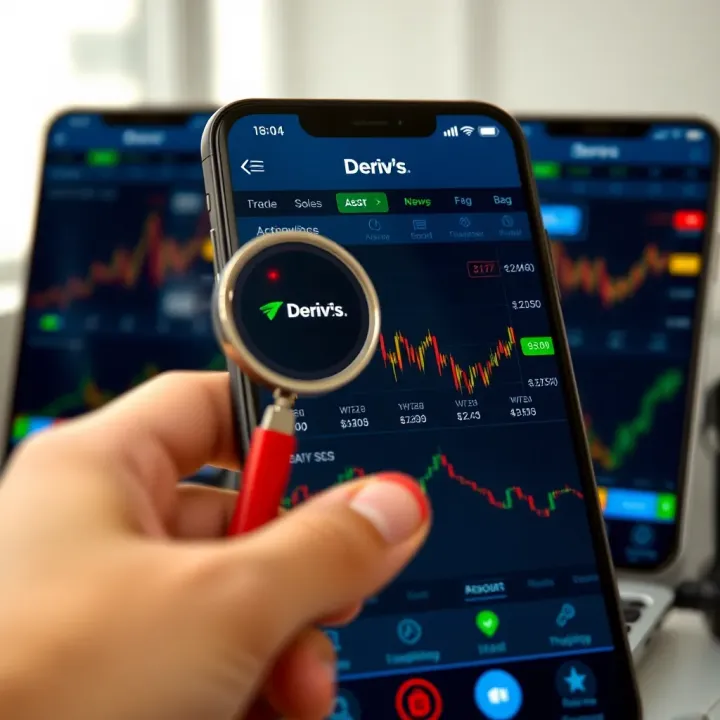
Explore the Deriv.com trading app’s features, security, and support in Pakistan 🇵🇰. A handy guide for both new and experienced traders 📱💹.
Based on 10 reviews