

IQ Option Guide for Pakistani Traders
Explore IQ Option for Pakistani traders 🇵🇰: details on forex, stocks, crypto trading, payments, safety, registration steps, plus tips to trade smartly and securely.
Edited By
Lucy Graham
Accessing your IQ Option account smoothly is the first step to successful online trading. For Pakistani traders, understanding the login process can save time and avoid common issues. IQ Option is a well-known trading platform globally, offering options, forex, and cryptocurrencies. However, due to regional regulations and security concerns, there are specific considerations that Pakistani users should keep in mind.
Logging in involves entering your registered email and password on the official IQ Option website or mobile app. Before that, ensure your account is fully verified; this usually means submitting your CNIC (Computerised National Identity Card) copy and proof of address in accordance with IQ Option's Know Your Customer (KYC) requirements. This step is mandatory and protects you from fraudulent activity.

Always double-check the web address or app version you use to login, as scam websites mimicking IQ Option have appeared targeting Pakistani traders.
If you encounter issues such as forgotten passwords or account lockouts, the platform offers clear recovery options. Clicking the "Forgot Password" link sends a reset email. Make sure you use the email linked with your IQ Option account. Be patient if reset emails take time; sometimes network delays or email filters cause lag.
Security also matters after login. Enable two-factor authentication (2FA) from your account settings to add an extra layer of protection. This reduces the risk of unauthorised access, which is crucial given concerns about cyber theft in online trading.
Many Pakistani users trade on mobile devices, so keeping your IQ Option app updated is necessary. Updates often fix bugs and improve security. Also, use stable internet connections — both home Wi-Fi or mobile data from local providers like Jazz or Zong work well.
In case you face repeated login troubles, check if your ISP or mobile network is blocking the platform, as sometimes restrictions apply due to regulatory changes. Contacting IQ Option support with clear details usually helps resolve such matters quickly.
Understanding these key points about the IQ Option login process will make your trading experience more secure and efficient. In the next sections, we will break down step-by-step instructions and discuss troubleshooting tips tailored for Pakistani traders.
Understanding the IQ Option trading platform is essential for Pakistani traders looking to use the service confidently and efficiently. This platform offers a straightforward interface alongside multiple financial instruments, which suits both beginners and experienced investors. Knowing its core features helps users navigate it effectively, avoiding common pitfalls especially during the crucial login stages.
IQ Option provides access to a diverse range of tradable assets including forex, stocks, cryptocurrencies, commodities, and digital options. For example, a trader in Lahore might opt to trade in Bitcoin or Apple stocks directly through the platform’s user-friendly app. The platform also supports demo accounts where users can practise without risking real money, an important feature for those new to online trading.
The platform stands out with its tools for technical analysis, live charts, and real-time market data, which help traders make informed decisions. Features like one-click trading and low minimum deposits (as little as $10) make it accessible for traders with various budgets. Additionally, the platform offers multiple language options and 24/7 customer support which often caters well to Pakistani traders.
IQ Option has steadily gained popularity among Pakistan's online trading community due to its simplified approach and accessibility. Many traders favour it because it removes traditional barriers like heavyweight brokerage accounts or high minimum capital, which are common in local markets. Furthermore, the availability of mobile trading apps offers convenience considering the widespread use of smartphones across Pakistan.
The platform’s support for Pakistani payment methods such as JazzCash and Easypaisa increases its appeal. Local social trading groups frequently recommend IQ Option for its quick deposits and withdrawals. Despite occasional issues with internet stability or regional access, many traders find it reliable enough to hold and grow investments.
For any Pakistani trader venturing into digital trading, IQ Option presents a balanced mix of usability, resource availability, and asset choice, making it worthwhile to understand its structure before logging in and trading.
This background sets the stage for navigating the login process smoothly and securely, which is the topic covered in the following sections.
Successfully logging in to your IQ Option account is essential for Pakistani traders to begin trading without hassles. This process involves a few straightforward steps but requires attention to detail to avoid common pitfalls like incorrect credentials or security breaches. By following a well-ordered approach, traders safeguard their account and ensure smooth access.
Before logging in, you must have a registered IQ Option account. For Pakistani users, registration requires a valid email address or mobile number, along with basic identification details. For example, submitting a verified CNIC (Computerised National Identity Card) can be necessary later when verifying your identity for withdrawals or compliance.
To create an account, visit the IQ Option official website or mobile app and fill out the registration form accurately. Avoid using temporary or disposable emails as they can cause problems later while resetting your password or during account verification. An active mobile number helps in receiving important alerts or verification codes.
Once your account is ready, navigate directly to the official IQ Option login page to avoid phishing scams. Many traders in Pakistan prefer using their smartphones through the official app downloaded from trusted sources like Google Play Store or Apple App Store. Using the app also offers better compatibility during loadshedding or slow internet conditions common in the region.
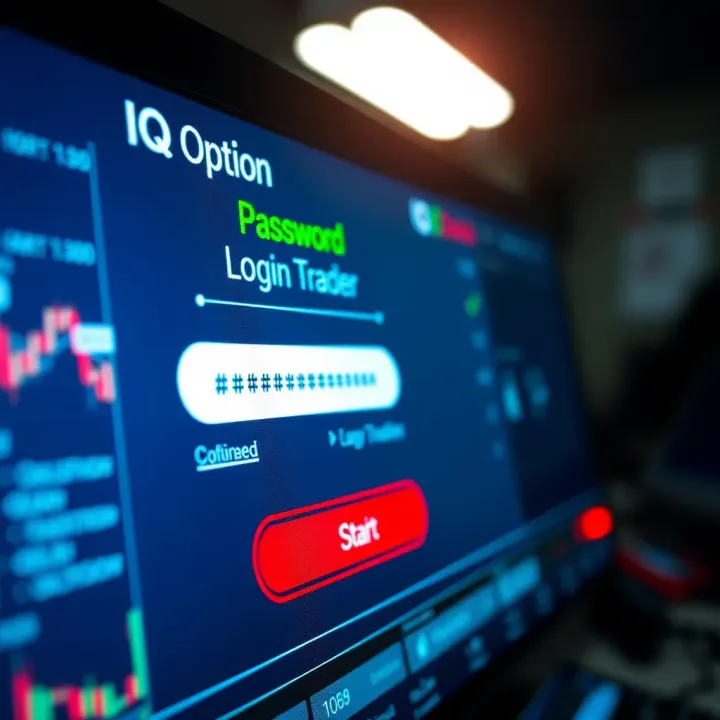
For desktop users, type the platform’s official URL manually instead of clicking links from unknown emails or messages. This practice reduces risks related to fake websites trying to steal login information.
At the login page, enter your registered email or mobile number and the password carefully. Even a small typo can block access, so typing slowly and double-checking is advisable. Pakistani traders often mix passwords with personal numbers or names for ease but that lowers security; instead, use a unique combination of letters, numbers, and symbols. Note that passwords are case-sensitive.
If you have enabled biometric login through the app, like fingerprint or face recognition, it can speed up access but remember to secure your device with a strong lock screen.
IQ Option strongly supports two-factor authentication (2FA) to add an extra layer of protection. After entering your password, you may be prompted to input a code sent via SMS or generated by an authenticator app such as Google Authenticator.
Setting up 2FA is highly recommended for Pakistani users to keep accounts safe from hacking, especially when trading with real money. For example, a trader in Lahore found their account accessed by an unknown party but thanks to 2FA, the intruder couldn’t proceed beyond the verification step.
Always keep your phone number linked to your IQ Option account up to date. If you change numbers, update your profile immediately to avoid lockout or missing crucial OTP (One Time Password) messages.
In summary, understanding each step of the IQ Option login process can prevent complications and enhances account security. Pakistani traders benefit from following these practices carefully, keeping their funds and trading opportunities secure.
This structured approach ensures you know exactly how to access your account and maintain safe trading conditions on IQ Option.
Technical hiccups during IQ Option login can cause frustration and disrupt your trading rhythm. Knowing how to troubleshoot common login problems ensures you don’t miss trading opportunities or risk account security. Pakistani traders often face issues like forgotten passwords, unexpected account lockouts, or compatibility headaches with their browsers and apps. Handling these swiftly helps maintain smooth access and confidence in your trading platform.
If you can’t recall your IQ Option password, the recovery process is straightforward. Start by clicking the ‘Forgot Password’ link on the login page. You’ll be prompted to enter your registered email address. IQ Option then sends a password reset link—check your inbox, and don’t forget to scan the spam folder, as messages might land there sometimes.
After accessing the link, choose a strong new password. Make sure it combines letters, numbers, and symbols to make it tough to guess. For example, "IqOpt2024#PK" is much stronger than "password123". This step guards your account and keeps your funds safe.
Account lockouts happen when multiple incorrect login attempts trigger security measures, or when suspicious activity is detected. In such cases, IQ Option may temporarily suspend your account for protection. Pakistani users should first avoid repeated failed attempts by double-checking credentials before logging in.
If locked out, contact IQ Option support directly through their official channels. Have your registered email and CNIC (Computerised National Identity Card) ready, as you might need to verify your identity. This helps speed up unlocking your account. Also, make sure your account complies with all KYC (Know Your Customer) requirements to prevent suspensions.
Trading smoothly requires using compatible and updated software. IQ Option supports popular browsers like Google Chrome, Mozilla Firefox, and the platform’s own mobile app. Pakistani traders often overlook browser updates, causing login glitches.
Always update your browser or app to the latest version. This resolves bugs and improves security. Clear your browser’s cache regularly because old data may interfere with login panels. If problems keep occurring, try switching browsers to isolate the issue.
Regular maintenance of your device’s software and vigilant handling of your login credentials can prevent most login troubles, letting you focus on trading rather than technical setbacks.
By mastering these troubleshooting steps, Pakistani traders can reduce downtime and strengthen their IQ Option login experience.
Security is a key concern when accessing any online trading platform, especially for Pakistani traders dealing with real money. Protecting your IQ Option account from unauthorised access is vital to prevent financial losses and data theft. This section explains practical steps that can secure your account and make your trading experience safer.
Using a strong password is your first line of defence. Avoid simple combinations like "123456" or "password" that hackers can easily guess. Instead, create a password with at least 12 characters, mixing uppercase and lowercase letters, numbers, and special symbols. For example, a password like Z3br@K@r@c combines randomness with memorable parts. Do not reuse passwords from other sites, such as your email or social media accounts. Consider a password manager to keep track of complex passwords securely.
Phishing is a common way scammers steal login details by impersonating IQ Option or related services. They might send fake emails or messages asking for your username and password or to click on suspicious links. Always check the sender's email address and avoid clicking any link unless you are sure it leads to IQ Option's official website or app. Legitimate platforms rarely ask for sensitive details via email. If you get an unsolicited message that demands urgent account confirmation or threatens suspension, do not respond immediately. Instead, verify independently through the official IQ Option platform.
Accessing your IQ Option account over public Wi-Fi, like at airports or cafes, exposes you to risks as hackers can intercept data on these networks. Use a trusted, private internet connection whenever possible. If you must use public Wi-Fi, connect through a Virtual Private Network (VPN) to encrypt your data. Also, keep your device’s security software updated to block malware that could compromise login details. On mobile devices, avoid logging in while on networks known for weak security.
Prioritising security measures not only protects your account but also builds confidence to trade effectively. Treat your IQ Option login credentials like precious assets and follow these steps consistently.
These security practices are practical and directly help Pakistani traders safeguard their investments and personal data—making the IQ Option login process safer and smoother.
Managing your IQ Option account after login is essential for a smooth and safe trading experience. It lets you keep your details current, set preferences that fit your trading style, and watch for any unusual activity. For Pakistani traders, staying on top of your account means less hassle and better control over your investments.
Keeping your personal information up to date is not just about accuracy; it’s a legal requirement under Pakistan’s financial regulations and IQ Option’s policies. KYC (Know Your Customer) documents like your CNIC (Computerised National Identity Card) and proof of address help verify your identity and protect your account against fraud. For example, if you move house or change your phone number, updating your profile ensures that all notifications reach you promptly. This also speeds up the process when you want to withdraw your earnings or resolve any account issues.
Customising your trading preferences allows the platform to work in a way that suits you best. You can adjust settings such as the default trade amount, preferred asset categories (like currencies, stocks, or cryptocurrencies), and risk levels. If you prefer short-term trades, for instance, you can pre-set options that align with this strategy. Similarly, activating alert notifications can help you catch trading opportunities quickly or remind you about market closings according to Pakistan Standard Time. These tweaks make your trading sessions more efficient and tailored.
Regularly checking your account activity helps catch any unusual or unauthorized actions early. The IQ Option platform provides detailed logs of all trades, deposits, withdrawals, and login sessions. Keeping an eye on this can alert you to unfamiliar logins or sudden balance changes, which might indicate account compromise. Pakistani traders should especially watch for login attempts from different locations or time zones, as it could suggest hacking. Promptly reporting suspicious activity to IQ Option’s support team protects your funds and personal data.
Always treat your IQ Option account like a valuable asset—regular updates and active monitoring reduce risks and improve your trading confidence.
Taking these steps after logging in helps Pakistani traders manage their accounts securely and tailor their experience according to their financial goals and market conditions. It’s not just about access but staying in control throughout your trading journey.
Logging into IQ Option should be a hassle-free and secure task for every trader in Pakistan. Following a few simple tips can make the process smoother and safeguard your account against common threats. This section highlights key precautions to keep your login experience reliable and secure.
Keeping your IQ Option app or browser updated is more than just about getting new features. Updated versions fix security vulnerabilities that hackers often exploit. For example, an outdated browser might not support the latest security protocols, leaving your login details exposed. Pakistani traders often use browsers like Chrome or Firefox and apps on Android or iOS; ensure these are set to update automatically or check regularly for updates. This small habit reduces the risk of account breaches significantly.
Logging out after finishing your trading session may seem obvious but gets overlooked more than you think. Especially if you use shared devices at internet cafes or offices, staying logged in invites others to access your account easily. Even on personal mobiles, logging out ensures that a lost or stolen device doesn't give unwanted access. Always look for the logout option before closing the app or browser—this step adds a simple but effective layer of security.
Public Wi-Fi networks in cafes and malls in cities like Karachi or Lahore can be convenient but risky for financial transactions. These networks are often unsecured, allowing hackers to intercept your data, including login credentials. It’s better to use mobile data or trusted home Wi-Fi when logging into IQ Option. If public Wi-Fi can’t be avoided, consider using a Virtual Private Network (VPN) to encrypt your connection, though VPNs themselves should be chosen carefully for trustworthiness. This only extra step can protect your account from potential cyber attacks.
To sum up, regular updates, securely logging out, and steering clear of public Wi-Fi protect your IQ Option account from common threats. Pakistani traders who practise these tips usually have a much smoother and safer login experience.
By handling these basic measures, you not only secure your investment but also keep your trading uninterrupted by technical or security issues. Always treat your login credentials like the key to your financial locker—guard them carefully.
Explore IQ Option for Pakistani traders 🇵🇰: details on forex, stocks, crypto trading, payments, safety, registration steps, plus tips to trade smartly and securely.

Explore TradingView.com 🖥️: A detailed guide for Pakistani traders on charting, social tools, and strategies to enhance stock & forex trading success 📈🇵🇰

📊 Explore TradingView.com with this detailed guide tailored for Pakistani traders! Learn to use charts, tools, and join a global community for smarter investments.

Discover how Quotex broker serves Pakistani traders with reliable platform features, varied trading options, easy deposits, strong support, plus vital regulatory info 📊💹
Based on 14 reviews